A calendar built for professional artists
You're a professional artist. Your schedule needs proper structure. Manage appointments and availability in one place, sync with Google Calendar or Outlook, track deposits and payments, record sessions, and give your studio the visibility they need.
The problem
Scheduling shouldn't be this painful
Personal calendar mixed with work
Dentist appointments next to tattoo sessions. It's hard to see your actual availability at a glance, and double-bookings happen too easily.
No real availability management
You're manually checking your calendar before confirming every booking. There's no system for working hours, guest spot dates, or recurring schedules.
Studio scheduling is guesswork
Your studio doesn't know when you're in. You don't know when your chair is free. Everyone's guessing, and it costs time and money.
The solution
One calendar for your tattoo business
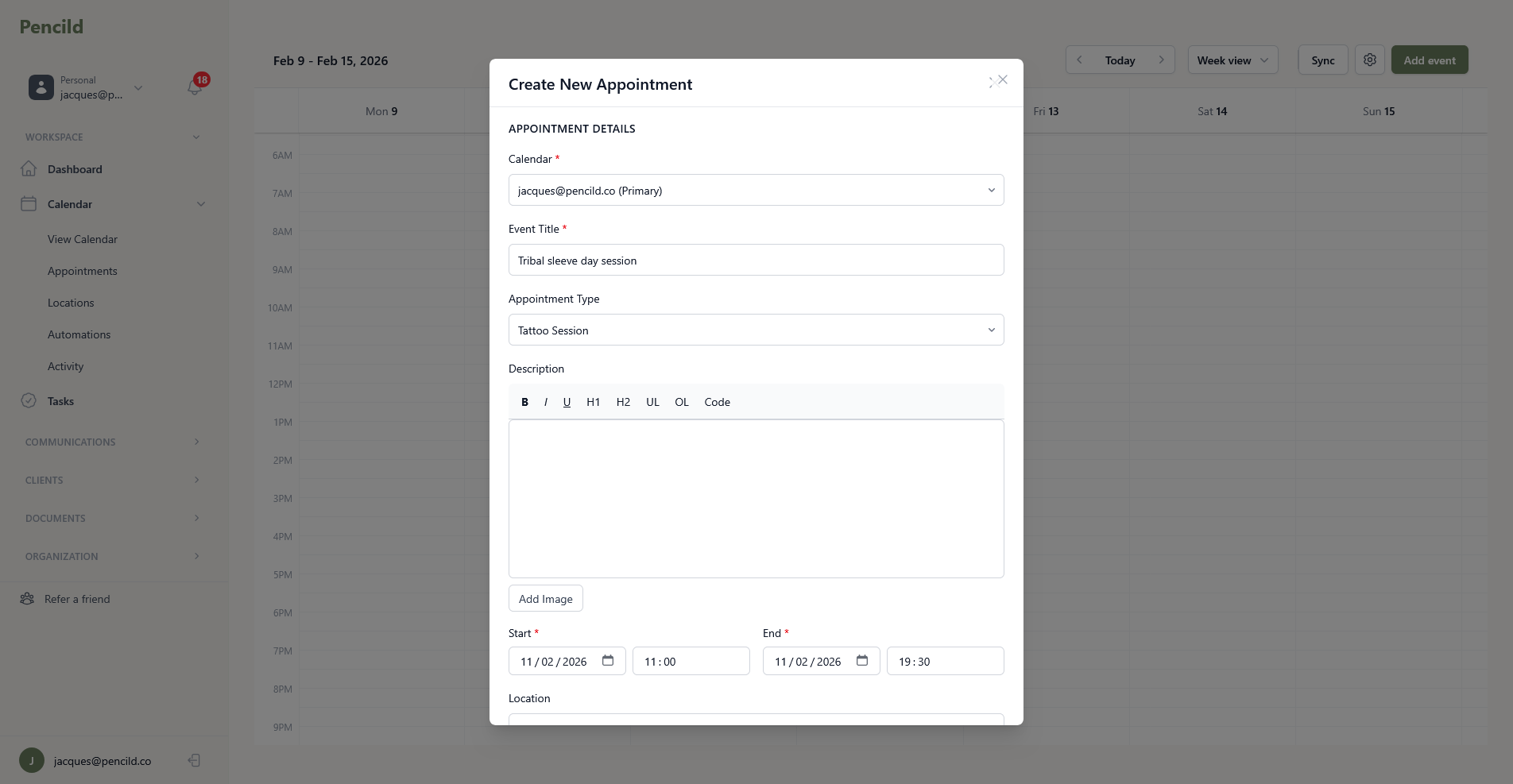
pencild gives you a dedicated calendar for your tattoo work. Sync with Google Calendar or Outlook to avoid conflicts, set your working hours, and give your studio the visibility they need. Month, week, and agenda views so you can plan however works best for you.
Calendar sync.
Connect Google Calendar or Outlook. Multi-calendar support with colour coding so you can see everything at once.
Appointment types.
Consultation, tattoo session, touch-up, design review, deposit only, or custom. Each type can have its own defaults.
Status tracking.
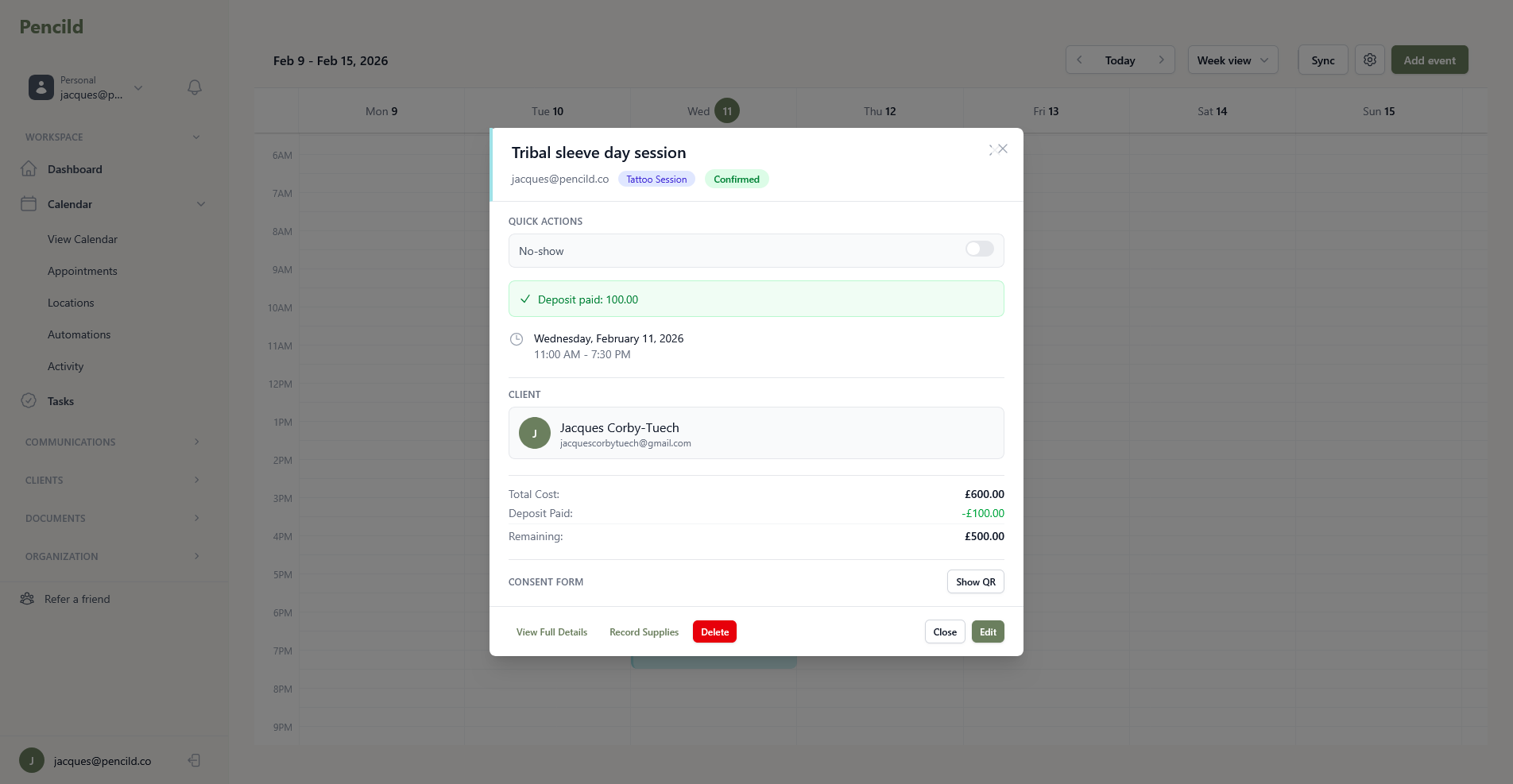
Confirmed, tentative, cancelled, or no-show. See which appointments need attention at a glance.
Client and project linking.
Every appointment links to a client profile and project. No more guessing who is coming in or what the session is for.
Recurring events.
Set up recurring appointments for long projects. Multi-session pieces are easy to schedule and track.
Location management.
Save your frequently-used addresses with timezone support. Set default locations so you don't re-enter them every time.
Track every session
Session recording and payment tracking
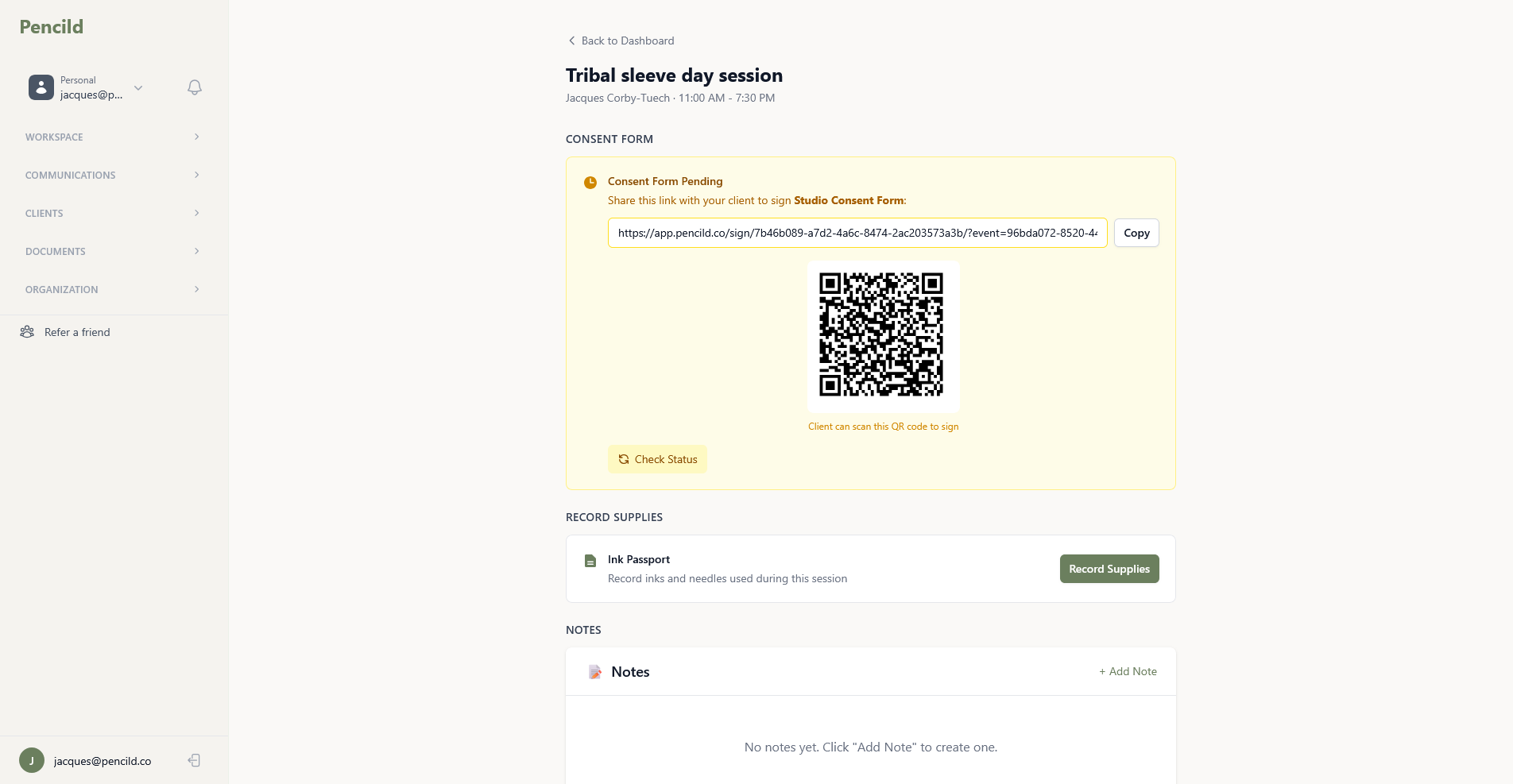
Record actual tattoo work time, track deposits and final payments, and keep waiver requirements organised. Everything you need to run your appointments professionally.
Session recording
Log start and end timestamps for actual tattoo work. Track how long sessions really take so you can price and plan more accurately.
Deposit and payment tracking
Track deposits and final payments per appointment. See at a glance what's been paid and what's outstanding.
Automatic waiver requirements
Tattoo sessions and touch-ups automatically require a signed waiver. You're always covered before the needle hits skin.
Availability and studio scheduling
Your hours, your rules
Set your recurring weekly working hours or define date ranges for guest spots. Studios see an overview of all artist schedules so everyone knows who's in and when chairs are free.
Recurring weekly hours.
Set your standard working days and hours. pencild prevents bookings outside those times automatically.
Guest date ranges.
Travelling for a guest spot? Set specific date ranges with their own availability and location.
Studio schedule overview.
Studios see all artist schedules in one view. Know who's in, who's free, and where the gaps are.
Automatic communication
Reminders that send themselves
Calendar automations handle the repetitive communication for you. Booking confirmations, day-before reminders, and aftercare follow-ups are all triggered by your appointments.
Confirmation emails
Clients receive automatic booking confirmations with all the details they need: date, time, location, and any preparation instructions.
Appointment reminders
Automatic reminders before sessions mean clients show up prepared. Fewer no-shows, less wasted time.
Follow-up messages
Thank you notes and aftercare instructions send automatically after sessions. Professional follow-through without lifting a finger.
Ready to run your business like a professional?
Start your free trial and take control of your schedule.
14-day free trial. Add a card to extend to 30 days.