Professional location management
You're a professional artist. Your clients should always know exactly where to find you. Save your studios, guest spots, and convention venues with timezone support so appointments always show the right time.
The problem
Typing the same address over and over
Repetitive data entry
Every new appointment means typing the same studio address. Copy-paste errors lead to confused clients showing up at the wrong place.
Timezone confusion
Guest spots and conventions in different timezones make it easy to schedule appointments at the wrong time. One hour off can ruin a session.
Inconsistent formatting
Sometimes it's '123 Main St', other times '123 Main Street'. Clients get different addresses for the same place across different messages.
The solution
Save once, use everywhere
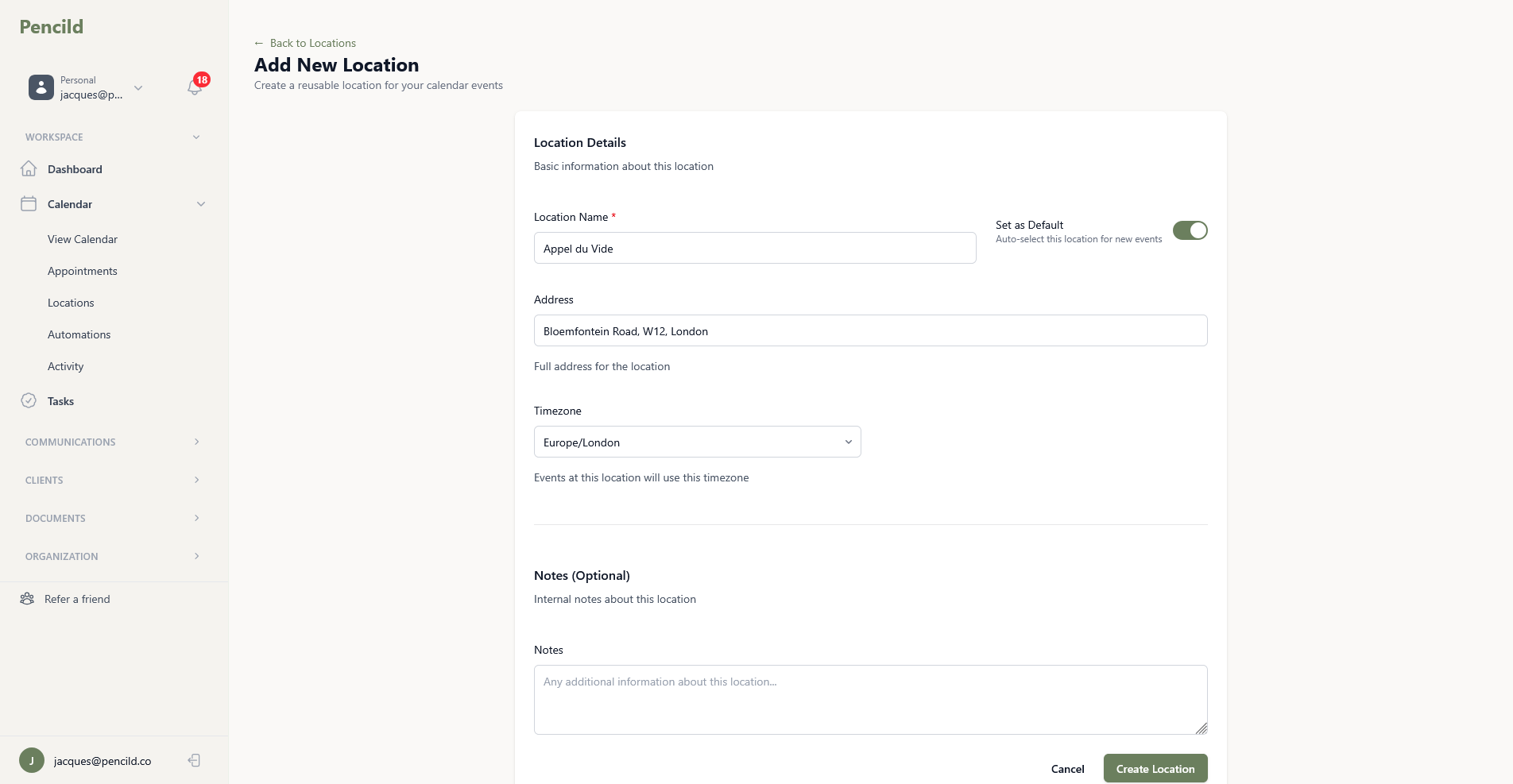
pencild lets you save your frequently-used locations with their timezones. Select a location when creating an appointment and the address populates automatically. Set a default for your home studio so new appointments are ready to go.
Saved locations.
Store your home studio, guest spots, and convention venues. Select from a list instead of typing every time.
Timezone support.
Each location stores its own timezone. Appointments inherit the correct time automatically. No mental maths required.
Default location.
Set your primary workspace as your default. New appointments use it automatically so you only change it when you need to.
Personal and studio.
Keep your own saved locations while accessing shared studio locations. Both are available when you create an appointment.
Built for artists who travel
Your business works wherever you do
Whether you work from one studio or travel for guest spots and conventions, your locations are always ready when you need them.
Guest spot ready
Save each studio you visit as a location. No more looking up addresses every time you return for another guest spot.
Convention support
Add convention venues with their timezones. Keep your schedule straight when you're working away from home.
Auto-populated appointments
When creating an appointment, choose from your saved locations. The address fills in automatically. No typing, no errors.
Ready to run your business like a professional?
Start your free trial and keep your locations organised.
14-day free trial. Add a card to extend to 30 days.